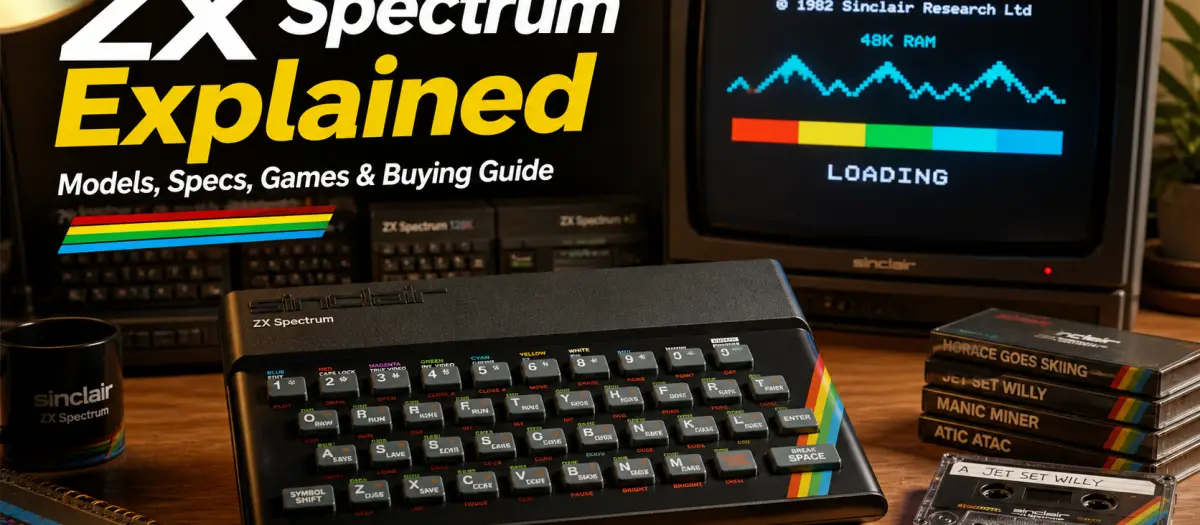
ZX Spectrum Explained: Complete Beginner’s Guide
The ZX Spectrum was one of the most important British home computers of the 1980s. Released by Sinclair Research in 1982, it brought colour graphics, home programming and affordable computer gaming into millions of homes.
The main ZX Spectrum models include the original 16K and 48K rubber-key machines, the ZX Spectrum+, the ZX Spectrum 128K, the +2, +2A, +2B and +3. If you are buying one today, the best choice for most beginners is usually the ZX Spectrum 128K or ZX Spectrum +2 because they offer more memory, better sound and wider game compatibility than the original 48K model.
The ZX Spectrum is sometimes misspelled as Spektrum ZX, Espectro ZX, Spectre ZX, Spectrum ZX, ZXSpectrum or Sinclair Spectrum, but the correct name is Sinclair ZX Spectrum.
Quick answer
The ZX Spectrum is an 8-bit home computer made by Sinclair Research and first released in the UK in 1982. It used a Zilog Z80A processor, loaded most software from cassette tape and displayed graphics on a normal television rather than a dedicated monitor. It became famous for affordable home computing, BASIC programming and thousands of classic games.
For collectors, the most desirable models are often the original rubber-key 48K, the ZX Spectrum 128K “toast rack” and the ZX Spectrum +3. For beginners who actually want to use one, the ZX Spectrum +2 is often the easiest model to live with because it has 128K memory, improved sound, a better keyboard and a built-in cassette deck.
ZX Spectrum model comparison
| Model | Released | Memory | Storage | Best for | Beginner rating |
|---|---|---|---|---|---|
| ZX Spectrum 16K | 1982 | 16K | External cassette recorder | Early collectors | Limited |
| ZX Spectrum 48K | 1982 | 48K | External cassette recorder | Original classic experience | Good |
| ZX Spectrum+ | 1984 | 48K | External cassette recorder | Better keyboard, classic compatibility | Good |
| ZX Spectrum 128K | 1985 | 128K | External cassette recorder | Best classic Sinclair model | Excellent |
| ZX Spectrum +2 | 1986 | 128K | Built-in cassette deck | Beginners and regular use | Excellent |
| ZX Spectrum +2A / +2B | 1987 | 128K | Built-in cassette deck | Later Amstrad-era users | Good |
| ZX Spectrum +3 | 1987 | 128K | Built-in 3-inch disk drive | Collectors and disk users | Good |
Best ZX Spectrum model to buy
| Buyer type | Best choice | Why |
| Complete beginner | ZX Spectrum +2 | Built-in tape deck, 128K memory and improved keyboard |
| Collector | ZX Spectrum 128K | Desirable, iconic and more advanced than the 48K |
| Original experience | ZX Spectrum 48K | The classic rubber-key model most people remember |
| Budget buyer | ZX Spectrum+ or working 48K | Usually easier to find than the 128K models |
| Disk enthusiast | ZX Spectrum +3 | Built-in 3-inch disk drive |
| Emulation user | Modern emulator or The Spectrum recreation | Easier setup, HDMI output and no ageing hardware issues |
What is the ZX Spectrum?
The ZX Spectrum is a home computer from the early 1980s. It was designed to plug into a household television and let ordinary people write programs, play games and learn computing at home.
Unlike a modern PC, the ZX Spectrum did not have a built-in screen, hard drive, mouse, internet connection or graphical desktop. When you switched it on, it loaded directly into Sinclair BASIC, a programming language built into the machine. From there, you could type programs, load games from cassette tape or use expansion hardware.
The original ZX Spectrum was small, affordable and visually distinctive. Its black case, rubber keyboard and rainbow stripe became some of the most recognisable design features in British computing.
Who made the ZX Spectrum?
The ZX Spectrum was developed and sold by Sinclair Research, the company founded by Sir Clive Sinclair. The industrial design, including the famous case and rainbow motif, was created by Rick Dickinson.
The machine is strongly associated with Britain because it was designed by Sinclair Research in Cambridge and became especially popular in the UK. Early production was also closely linked with Timex manufacturing in Dundee, Scotland.
When did the ZX Spectrum come out?
The ZX Spectrum was launched in 1982. The original models were available with either 16K or 48K of RAM. Later versions added better keyboards, 128K memory, improved sound and built-in storage options.
The broad ZX Spectrum timeline looks like this:
| Year | Model or event | Why it mattered |
| 1982 | ZX Spectrum 16K and 48K | Original launch models |
| 1984 | ZX Spectrum+ | New case and better keyboard, but still 48K |
| 1985 | ZX Spectrum 128K | More memory and better sound |
| 1986 | ZX Spectrum +2 | Built-in cassette deck after Amstrad acquired Sinclair’s computer line |
| 1987 | ZX Spectrum +3 | Built-in 3-inch disk drive |
| Today | Emulators, FPGA systems and recreations | Modern ways to play Spectrum games without original hardware |
Why was the ZX Spectrum so popular?
The ZX Spectrum became popular because it was affordable, compact and easy to connect to equipment many families already owned. You did not need a dedicated monitor or expensive disk drive. A normal television and cassette recorder were enough to get started.
It also arrived at the right time. Home computing was becoming exciting, but many computers were still expensive. The Spectrum gave young people, families, hobbyists and future programmers a way into computing without needing a business machine.
The biggest reason it became legendary, though, was the software. Thousands of ZX Spectrum games were released, covering arcade conversions, platformers, adventures, racing games, strategy games, puzzle games and experimental homebrew titles.
For many people in the UK, the ZX Spectrum was not just a computer. It was their first experience of gaming, programming and understanding how computers worked.
What was the ZX Spectrum used for?
The ZX Spectrum was used for much more than games, although gaming became its most famous use.
Common ZX Spectrum uses included:
- Playing cassette-based games
- Learning BASIC programming
- Typing in programs from magazines
- Creating simple graphics and sounds
- Educational software
- Word processing and home productivity
- Hobby electronics and hardware expansion
- Demos, music experiments and game development
Today, people mainly use the ZX Spectrum for retro gaming, collecting, programming nostalgia, preservation, hardware repair and learning how early home computers worked.
ZX Spectrum specifications
The ZX Spectrum was simple by modern standards, but clever for its time. Its low price came from a very compact design that reused a normal television for display and cassette tape for storage.
| Feature | ZX Spectrum 48K |
| CPU | Zilog Z80A or equivalent |
| CPU speed | 3.5 MHz |
| RAM | 16K or 48K depending on model |
| ROM | 16K Sinclair BASIC ROM |
| Graphics resolution | 256 × 192 pixels |
| Colours | 15 display colours including bright variants |
| Sound | Internal beeper on early models |
| Storage | Cassette tape via EAR and MIC sockets |
| Display output | RF output to a television |
| Keyboard | Rubber-key membrane keyboard on original models |
| Operating environment | Sinclair BASIC |
The later 128K models improved the experience by adding more memory and AY sound, which made music and sound effects much better than the simple beeper used in the original 48K machine.
ZX Spectrum 48K vs 128K vs +2 vs +3
| Feature | ZX Spectrum 48K | ZX Spectrum 128K | ZX Spectrum +2 | ZX Spectrum +3 |
| Memory | 48K | 128K | 128K | 128K |
| Sound | Internal beeper | AY sound chip | AY sound chip | AY sound chip |
| Keyboard | Rubber keys | Hard keys | Full-size keyboard | Full-size keyboard |
| Storage | External cassette | External cassette | Built-in cassette | Built-in 3-inch disk drive |
| TV connection | RF as standard | RF / monitor options depending on model | RF / monitor options depending on model | RF / monitor options depending on model |
| Best for | Original nostalgia | Classic advanced Spectrum | Beginners | Collectors and disk software |
The ZX Spectrum 48K gives the most authentic early Spectrum experience, but the 128K models are easier to recommend for everyday use. Many later games support 128K enhancements, including better music, extra levels, improved presentation or smoother loading.
The +2 is often the most practical original machine because the built-in cassette deck removes one of the biggest beginner problems: finding a suitable tape recorder and getting the volume level right.
The +3 is interesting because of its built-in disk drive, but 3-inch disks are now less convenient than cassette, SD card solutions or modern loading devices.
ZX Spectrum graphics explained
The ZX Spectrum displayed graphics at 256 × 192 pixels. That sounds tiny compared with modern screens, but it was enough for many creative and recognisable games.
The machine’s most famous graphical limitation was called colour clash. The Spectrum did not let every individual pixel have its own colour. Instead, colour information was stored in blocks. This meant that when two moving objects shared the same block, colours could appear to clash or bleed into one another.
Rather than ruining the machine, colour clash became part of its identity. Developers learned tricks to hide it, work around it or turn it into a recognisable visual style. Some Spectrum games used monochrome graphics, careful backgrounds or clever sprite design to avoid the worst effects.
This is why ZX Spectrum games often have a very distinctive look: sharp pixel art, bold colours, black backgrounds and strong contrast.
Did the ZX Spectrum have a screen?
No, the ZX Spectrum did not have a built-in screen. It was designed to connect to a television.
The original model used RF output, which was normal for home computers and consoles of the time. You tuned the computer into the TV like a television channel. Many modern owners now modify or adapt their Spectrums for composite video, RGB, SCART or HDMI depending on the model and setup.
If you want the easiest display setup today, a modern recreation, emulator, FPGA system or HDMI-capable solution is much simpler than connecting an original unmodified 1980s machine to a modern TV.
What ports did the ZX Spectrum have?
The original ZX Spectrum was very minimal. The main connections were:
| Connection | Purpose |
| Power input | Connects the external power supply |
| RF output | Sends video to a television |
| EAR socket | Loads audio data from cassette |
| MIC socket | Saves data to cassette |
| Edge connector | Allows expansion devices, interfaces and peripherals |
Later models added or changed ports depending on the version. Some later Spectrums included built-in joystick ports, monitor outputs or disk drive connections.
The rear edge connector was one of the most important parts of the machine because it allowed third-party companies to create joystick interfaces, printer interfaces, storage systems, sound expansions and other hardware.
How did ZX Spectrum games load?
Most ZX Spectrum games loaded from cassette tape. To load a game, you connected a cassette recorder to the Spectrum, typed a loading command, pressed play on the tape deck and waited while the computer converted audio tones into data.
The classic command was:
LOAD “”
Loading from tape could be slow and temperamental. If the volume was too low, too high or the tape was worn, the game might fail to load. This is why many Spectrum owners remember the screeching loading sounds, coloured loading borders and the frustration of waiting several minutes only for the game to crash at the end.
Modern users can avoid much of this by using:
- Clean cassette decks
- Phone or MP3 audio playback
- DivMMC or SD card interfaces
- Modern recreation machines
- Emulators
- FPGA systems
Best ZX Spectrum games to play
The ZX Spectrum has a huge games library, so the best game depends on what kind of experience you want.
Good starting points include:
| Game | Why it matters |
| Manic Miner | One of the defining Spectrum platform games |
| Jet Set Willy | A famous and ambitious follow-up to Manic Miner |
| Knight Lore | Influential isometric adventure game |
| Atic Atac | Fast, colourful and still very playable |
| The Hobbit | Important early text adventure |
| Skool Daze | Unique school-based sandbox game |
| Chuckie Egg | Simple, fast and addictive arcade-style platforming |
| Sabre Wulf | Classic Ultimate Play The Game adventure |
| Head Over Heels | One of the best isometric puzzle adventures |
| R-Type | Impressive arcade conversion for the hardware |
If you are new to the system, start with fast, accessible games before moving into slower adventures and complex keyboard-heavy titles.
Is the ZX Spectrum good for gaming today?
Yes, but with the right expectations.
The ZX Spectrum is not good because it matches modern graphics, sound or speed. It is good because the games are historically important, simple to understand and full of creative design decisions forced by strict hardware limits.
The best Spectrum games still work today because they focus on strong ideas: timing, exploration, puzzle solving, score chasing and atmosphere. Some games feel rough by modern standards, but many remain surprisingly playable.
If you are mainly interested in the games rather than the hardware, emulation is the easiest way to start. If you enjoy old electronics, repairs, physical tapes, original keyboards and the feel of real hardware, then an original Spectrum is far more satisfying.
How much is a ZX Spectrum worth?
ZX Spectrum prices vary massively depending on model, condition, accessories, box, modifications and whether the machine has been tested properly.
As a rough UK buying guide:
| Type | Typical value range | Notes |
| Untested or spares/repair unit | £30–£80 | Risky unless you can repair electronics |
| Working ZX Spectrum 48K or Spectrum+ | £70–£150 | Condition and accessories matter |
| Working ZX Spectrum +2 | £100–£220 | Often practical for beginners |
| Working ZX Spectrum +3 | £150–£300+ | Disk drive condition is important |
| ZX Spectrum 128K “toast rack” | £200–£500+ | More collectible and usually more expensive |
| Boxed, complete or rare condition units | Higher | Original box, manuals and inserts can raise value significantly |
Do not judge price from asking prices alone. Always check completed sold listings, condition, photos and whether the machine has actually been tested.
What affects ZX Spectrum value?
The biggest value factors are:
- Model version
- Working condition
- Original box and manuals
- Keyboard membrane condition
- Power supply condition
- Video output quality
- Whether it has been modified
- Included games and accessories
- Cosmetic condition
- Signs of corrosion, overheating or repair work
The 128K “toast rack” is usually more collectible than a common 48K model. However, a clean boxed 48K with manuals and accessories can still be very desirable.
Common ZX Spectrum faults
ZX Spectrums are now old enough that faults are common. Some are simple fixes, while others require proper electronics repair skills.
| Fault | Common symptoms | Possible cause |
| Failed keyboard membrane | Some keys do not work | Brittle or cracked membrane |
| Bad power supply | No power, instability or damage risk | Original PSU failure |
| RAM fault | Random characters, crashes, bad display | Failed memory chips |
| ULA fault | No display or corrupted graphics | Failed custom chip |
| Tape loading problems | Games fail to load | Volume, cable, tape deck, EAR socket or tape condition |
| Poor video output | Fuzzy picture | RF tuning, TV compatibility or ageing components |
| Capacitor ageing | Instability or display issues | Old electrolytic capacitors |
If you are buying your first Spectrum, look for one that has been tested with a game, shows a clear picture, has working keys and comes with a safe power supply.
Should you use the original power supply?
Be careful with original ZX Spectrum power supplies. Old power supplies can drift, fail or damage the computer. Before using an original PSU, test it with a multimeter and check that the voltage and polarity are correct.
For regular use, many owners prefer a modern replacement power supply from a reputable retro computer supplier. This is a small cost compared with the risk of damaging original hardware.
Can you connect a ZX Spectrum to a modern TV?
Yes, but it depends on the model, the TV and the output method.
The original ZX Spectrum was designed for RF input on old televisions. Many modern TVs do not handle old RF signals well, and some have no analogue tuner support at all.
Your main options are:
| Method | Difficulty | Result |
| RF to old CRT TV | Easy if you have the right TV | Authentic but soft image |
| RF to modern TV | Unreliable | Depends heavily on the TV |
| Composite mod | Moderate | Better compatibility and cleaner picture |
| RGB/SCART on compatible models | Moderate | Better image quality |
| External upscaler | Moderate to advanced | Useful for modern HDMI screens |
| Emulator or modern recreation | Easy | Simplest modern display setup |
If you want the least hassle, emulation or a modern Spectrum recreation is easier. If you want the authentic experience, use original hardware with a CRT or a properly configured video output solution.
Best modern ways to play ZX Spectrum games
You do not need an original ZX Spectrum to enjoy Spectrum games today.
The main options are:
| Option | Best for | Pros | Cons |
| Original ZX Spectrum | Collectors and hardware fans | Authentic feel | Ageing hardware, display issues, tape problems |
| Emulator on PC or Mac | Beginners | Easy, cheap, flexible | Less authentic |
| Emulator on Raspberry Pi or mini PC | Living-room retro setup | Good with controllers and front ends | Requires setup |
| FPGA system | Accuracy-focused users | Low-lag hardware-style experience | More expensive |
| The Spectrum recreation | Casual users and gift buyers | Modern connection, simple setup | Not the same as owning original hardware |
| DivMMC / SD card on original hardware | Original hardware users | Faster loading, huge convenience | Extra hardware cost |
For most beginners, an emulator is the easiest starting point. For collectors, original hardware is more rewarding. For people who want a modern plug-and-play experience, a recreation system can be a good middle ground.
Is the ZX Spectrum still worth buying?
The ZX Spectrum is still worth buying if you enjoy retro computers, British computing history, old games or hands-on restoration. It is one of the most important home computers ever released in the UK and still has an active community.
However, it is not the best choice if you want a simple, modern gaming device with no setup problems. Original hardware can need repairs, cassette loading can be frustrating and modern TV compatibility can be awkward.
Buy an original ZX Spectrum if you want the real machine, the real keyboard, the real loading experience and the satisfaction of owning a piece of computing history.
Use emulation or a modern recreation if you mainly want to play the games.
ZX Spectrum buying checklist
Before buying a ZX Spectrum, check the following:
- Does it power on?
- Does it display a clear image?
- Have the keys been tested?
- Does it load games?
- Is the power supply original or modern replacement?
- Is the keyboard membrane working?
- Are there signs of corrosion or overheating?
- Has it been modified?
- Are the box and manuals included?
- Are the photos of the actual item?
- Is the seller showing it working, not just powered on?
Avoid listings that say “untested” unless you are comfortable repairing electronics. Untested usually means you should price it as a repair project.
ZX Spectrum vs Commodore 64
The ZX Spectrum and Commodore 64 were two of the most famous 8-bit home computers, but they feel very different.
| Feature | ZX Spectrum | Commodore 64 |
| Country association | Especially strong in the UK | Especially strong in the US and Europe |
| CPU | Z80A family | MOS 6510 family |
| Graphics style | Sharp, colourful, colour clash | Hardware sprites and smoother arcade style |
| Sound | Simple beeper on 48K, AY on 128K | SID sound chip |
| Price philosophy | Cheap and compact | More expensive but more capable in some areas |
| Game feel | Fast, inventive, often visually stark | Stronger sound and sprite-based arcade games |
Neither machine is simply “better”. The Spectrum was cheaper and became a UK icon. The Commodore 64 had stronger sound and sprite hardware. Both have huge game libraries and passionate communities.
ZX Spectrum FAQ
What is a ZX Spectrum?
The ZX Spectrum is an 8-bit home computer released by Sinclair Research in 1982. It was used for games, BASIC programming, education and home computing.
Is it called ZX Spectrum or Sinclair Spectrum?
The full correct name is Sinclair ZX Spectrum. Many people casually call it the ZX Spectrum, Sinclair Spectrum or simply the Spectrum.
Who invented the ZX Spectrum?
The ZX Spectrum was developed by Sinclair Research, the company founded by Sir Clive Sinclair. Its famous case design was created by Rick Dickinson.
Which country was the ZX Spectrum made in?
The ZX Spectrum was a British computer. It was designed by Sinclair Research in Cambridge, England, and early manufacturing was strongly associated with Timex in Dundee, Scotland.
When was the ZX Spectrum released?
The ZX Spectrum was released in 1982. The original versions came with either 16K or 48K of memory.
Is the ZX Spectrum a good computer?
For its time, yes. It was affordable, compact and hugely influential. By modern standards it is extremely limited, but as a retro computer it is historically important and still enjoyable.
What CPU did the ZX Spectrum use?
The ZX Spectrum used a Zilog Z80A or equivalent processor running at 3.5 MHz.
What were the ZX Spectrum graphics like?
The ZX Spectrum used a 256 × 192 pixel display with 15 colours including bright variants. Its graphics are famous for sharp pixel art and colour clash.
Why do ZX Spectrum games have colour clash?
Colour clash happens because the Spectrum stored colour information in blocks rather than giving every pixel its own colour. When moving objects shared the same colour block, the colours could appear to clash.
Did the ZX Spectrum have a screen?
No. The ZX Spectrum connected to a television. The original model used RF output rather than a built-in display.
How did you load games on a ZX Spectrum?
Most games loaded from cassette tape using the command LOAD "". The computer converted audio tones from the tape into program data.
Can you load games from a separate tape recorder on a ZX Spectrum +2?
The ZX Spectrum +2 has a built-in cassette deck, but external loading options may be possible depending on the model, modification and input method. For most beginners, the built-in deck is the normal way to load tapes on a +2.
What is the difference between ZX Spectrum 48K and 128K?
The 128K model has more memory and improved sound using an AY sound chip. Many 128K games include better music, more content or enhanced presentation compared with 48K versions.
Which ZX Spectrum model is best?
For most beginners, the ZX Spectrum +2 is the easiest original model to use. For collectors, the ZX Spectrum 128K “toast rack” and clean boxed 48K models are especially desirable.
How much is a ZX Spectrum worth today?
A working common 48K or Spectrum+ is often worth less than a 128K, +2 or +3 model, but condition matters heavily. Untested machines should be priced as repair projects. Boxed, complete and rare-condition machines can be worth much more.
Can a ZX Spectrum connect to a modern TV?
Yes, but it can be awkward. Original RF output does not always work well with modern TVs. Composite, RGB, SCART, upscalers, emulators or modern recreations are usually easier.
Can you still play ZX Spectrum games today?
Yes. You can play ZX Spectrum games on original hardware, emulators, FPGA systems, SD card interfaces and modern recreation devices.
Why is the ZX Spectrum important?
The ZX Spectrum helped make home computing and video gaming affordable in the UK. It introduced many people to programming and supported one of the most creative game libraries of the 1980s.
Related ZX Spectrum guides
Add internal links here to your strongest related articles:
- How to Use a ZX Spectrum
- Which ZX Spectrum to Buy
- How Much Is a Sinclair ZX Spectrum Worth
- ZX Spectrum Common Faults
- ZX Spectrum Tape Loader
- How to Load a Game on the ZX Spectrum
- How to Connect a ZX Spectrum to a Modern TV
- ZX Spectrum Composite Mod
- ZX Spectrum Voltage Regulator Replacement
- ZX Spectrum Upper RAM Replacement
- The Best ZX Spectrum 128K Games
Suggested image plan
Use original photos where possible. Avoid generic AI images for this article because real hardware photos will build more trust.
| Image filename | Suggested alt text | Placement |
| zx-spectrum-models-compared.jpg | ZX Spectrum 48K, 128K, +2 and +3 models compared | Near the top |
| zx-spectrum-rubber-key-keyboard.jpg | Original ZX Spectrum rubber key keyboard close up | In the model/history section |
| zx-spectrum-cassette-games.jpg | ZX Spectrum cassette games and tape loading setup | In the game loading section |
| zx-spectrum-connected-to-crt-tv.jpg | ZX Spectrum connected to a CRT television | In the display section |
| zx-spectrum-buying-checklist.jpg | ZX Spectrum buying checklist for collectors | In the buying guide section |
Internal linking notes
Use these exact or near-exact anchor texts naturally inside the article:
- which ZX Spectrum to buy
- how much a ZX Spectrum is worth
- ZX Spectrum common faults
- how to load games on a ZX Spectrum
- how to connect a ZX Spectrum to a modern TV
- ZX Spectrum composite mod
- ZX Spectrum voltage regulator replacement
- ZX Spectrum upper RAM replacement
- best ZX Spectrum 128K games