Four things I know better than most
Pick your interest and I'll point you straight to the best content and the gear worth buying.
This isn't a content farm.
It's one person's obsession.
I've worked in electronics manufacturing for nearly 30 years, in PCB assembly, RF and power test, repair and line design. It started with a Sinclair ZX81 and honestly, the interest never really stopped.
Every recommendation on this site is researched and checked against trusted sources. When something is worth considering, I explain why. When something is worth avoiding, I say so clearly.
Latest from the lab

PS5 Emulator: What Actually Works in 2026, and the Fake Downloads to Avoid
Real PS5 emulators exist but are early. What KytyPS5, SharpEmu and AnyPS5 can actually run, what you can do instead, and how to spot fake PS5 emulator downloads.

Best PSP Games of All Time: 25 Ranked, With What Each Costs Today
The 25 best PSP games, ranked by how many of six major lists include them, with what a loose UMD sells for today, which ones are on PlayStation Plus Premium or have a remaster, and which still need a PSP.
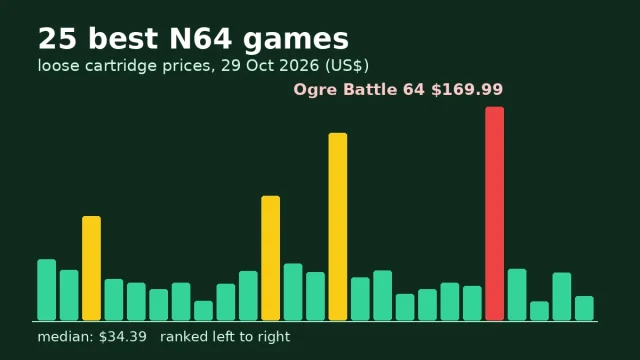
Best N64 Games of All Time: 25 Ranked, With What Each Costs Today
The 25 best Nintendo 64 games, ranked by how many of five major lists include them, with what a loose cartridge sells for today, which ones are on Nintendo Switch Online, and which need the Expansion Pak.
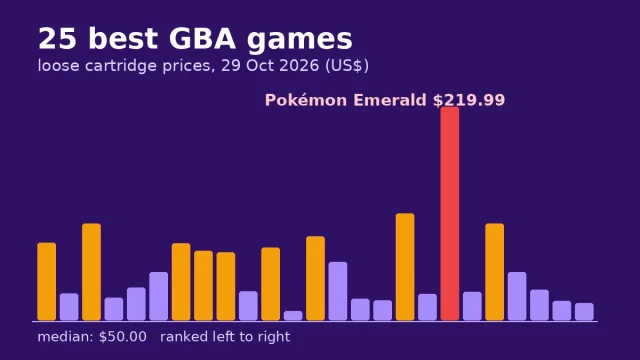
Best GBA Games of All Time: 25 Ranked, With What Each Costs Today
The 25 best Game Boy Advance games, ranked by how many of five major lists include them, with what a loose cartridge sells for today, which ones are on Nintendo Switch Online, and which were never released in Europe.
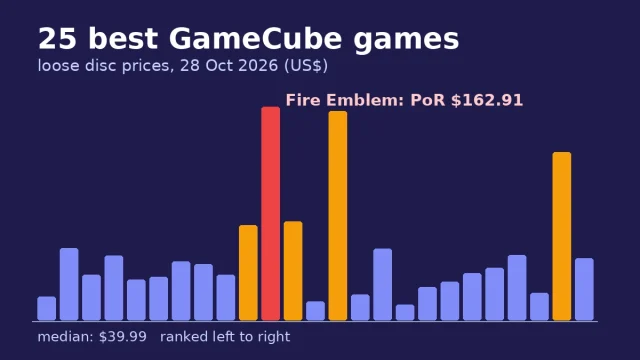
Best GameCube Games of All Time: 25 Ranked, With What Each Costs Today
The 25 best GameCube games of all time, ranked by how many major lists include them, with each game's Metascore, what a loose disc sells for today, and the easiest way to play it in 2026, including the Switch 2 GameCube library.
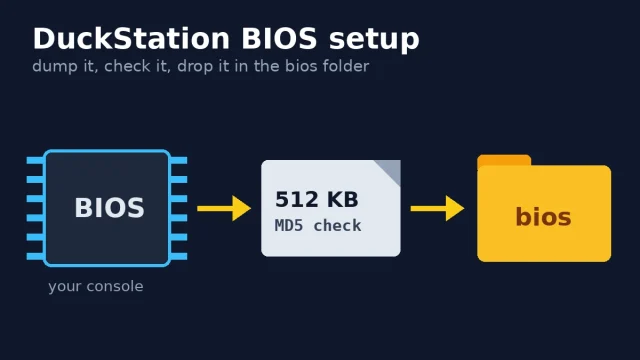
DuckStation BIOS: Which File to Use, Where It Goes and How to Fix “No BIOS Image Found”
DuckStation will not boot a game without a PlayStation BIOS. Here is which BIOS it prefers and why, the exact folder on Windows, macOS, Linux, Steam Deck and Android, how to dump your own from a PS1 or PS2, MD5 hashes to check your dump, and fixes for "No BIOS image found".