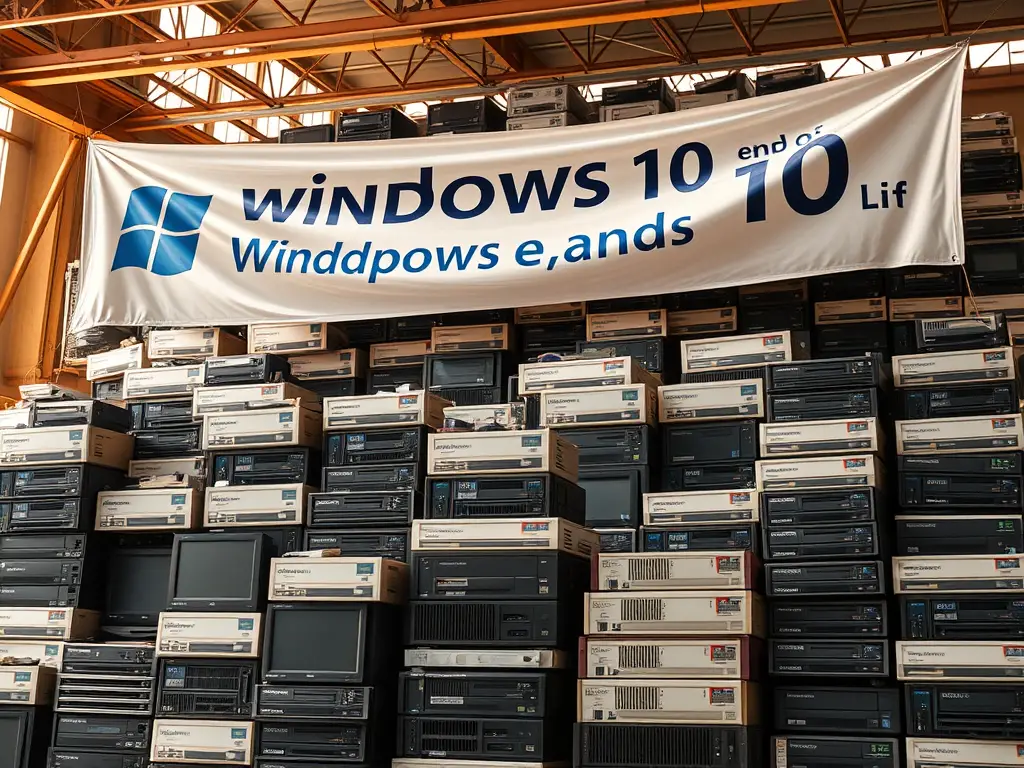
October 2025 marks the end of Windows 10 support, creating the largest hardware orphaning event in computing history. An estimated 200 million orphaned Windows 10 PCs will flood the secondary market as businesses, schools, and consumers abandon perfectly functional hardware for newer systems. This isn’t just an e-waste crisis—it’s the ultimate collector’s opportunity disguised as digital apocalypse.
Smart collectors, refurbishers, and retro computing enthusiasts are positioning themselves to capitalize on this unprecedented hardware avalanche. While others see obsolescence, savvy operators recognize the greatest hardware acquisition opportunity since the dot-com bubble burst flooded the market with premium enterprise equipment.
The scale is staggering, the timing is perfect, and the profits are there for those who understand what they’re looking at.
Image suggestion: Mountain of stacked business computers with “Windows 10 End of Life” banner overhead
Alt text: Massive collection of orphaned Windows 10 business computers awaiting new owners
The Great Windows 10 Exodus: Understanding the Scale
200 Million PCs and Counting
Microsoft’s own data suggests over 1.4 billion devices run Windows 10, with conservative estimates placing 200-400 million units in the immediate abandonment zone post-October 2025. This represents hardware manufactured between 2015-2020, encompassing some of the most robust, well-built PCs ever produced.
These aren’t ancient relics—we’re talking about 6th through 10th generation Intel Core processors, DDR4 RAM, SSD storage, and enterprise-grade build quality that makes today’s consumer hardware look flimsy. The Windows 10 end of life computers hitting the market include ThinkPads that originally cost $2,000+, Dell Optiplex workstations, and HP EliteDesk systems built to last decades.
Corporate refresh cycles typically target 5-7 year replacement schedules. Hardware deployed in 2018-2020 faces premature retirement not due to failure, but due to arbitrary software support cutoffs.
Why Businesses Are Abandoning Perfectly Good Hardware
Security Compliance Requirements: Enterprise security policies prohibit unsupported operating systems. IT departments have zero flexibility here—Windows 10 EOL means immediate replacement, regardless of hardware condition.
Insurance and Liability Concerns: Business insurance increasingly excludes coverage for security incidents involving unsupported systems. No CFO will risk company liability over aging computers.
Vendor Support Contracts: Major software vendors tie support contracts to supported operating systems. Businesses lose access to critical applications and services when running EOL systems.
This creates an artificial obsolescence event where perfectly functional hardware gets discarded en masse, creating the largest secondary market opportunity in PC history.
The E-Waste Crisis Becomes a Collector’s Market
Traditional e-waste processing recovers minimal value—maybe $10-20 per unit in raw materials. But orphaned Windows 10 PCs contain significantly more value in functional components, specialized hardware configurations, and complete systems suitable for alternative operating systems.
The volume overwhelms traditional recycling channels, creating pricing inefficiencies that collectors can exploit. When processing facilities face hundreds of pallets of identical hardware, individual unit evaluation becomes impossible—creating opportunities for bulk acquisition at commodity pricing.
Image suggestion: Split view showing e-waste facility vs organized collector’s workspace
Alt text: Comparison between wasteful e-waste processing and valuable computer collection organization
Why This Is the Greatest Hardware Opportunity in Computing History
Perfect Storm of Supply and Timing
Multiple factors converge to create unprecedented opportunity:
Volume Concentration: Never before have so many similar-generation PCs hit the market simultaneously. The Windows 10 PC collection opportunity concentrates supply in a narrow timeframe.
Quality Baseline: Unlike previous obsolescence events involving truly outdated hardware, these systems represent modern, capable computers with years of useful life remaining.
Market Timing: Rising new hardware prices, supply chain uncertainties, and increased interest in sustainable computing create perfect demand conditions for refurbished systems.
Knowledge Gap: Most businesses lack expertise to evaluate alternative operating systems or refurbishment potential, treating valuable hardware as waste.
Quality Hardware at Rock-Bottom Prices
Enterprise abandoned Windows 10 hardware typically features:
- Premium build quality with superior cooling, power supplies, and component selection
- Business-grade warranty history with documented service records
- Standardized configurations simplifying parts inventory and troubleshooting
- Professional aesthetics appealing to home office and small business users
Corporate lease returns often include original documentation, recovery media, and accessories that significantly increase resale value.
The Nostalgia Factor Nobody’s Talking About
Windows 10 end of life computers will achieve retrocomputing status faster than previous generations due to their association with major cultural and technological shifts:
- Peak COVID-19 era hardware representing massive work-from-home transformation
- Last pre-AI computing generation before machine learning integration became standard
- Classic gaming performance for titles from the 2015-2025 golden age
- YouTube creator economy machines powering the content creation boom
Collectors who recognize this cultural significance can position themselves ahead of future appreciation trends.
Business vs Consumer Hardware: The Hidden Value Gap
Consumer-grade Windows 10 systems depreciate rapidly and offer limited collector value. Business-grade orphaned Windows 10 PCs maintain significantly higher intrinsic worth due to:
Component Quality: Enterprise systems use server-grade RAM, business-class hard drives, and components rated for 24/7 operation.
Serviceability Design: Tool-free chassis access, standard form factors, and comprehensive service manuals simplify maintenance and upgrades.
Configuration Documentation: Business systems include detailed asset tags, configuration records, and often original purchase documentation.
Volume Availability: Corporate refreshes provide access to dozens or hundreds of identical units, enabling efficient processing and standardized refurbishment workflows.
Image suggestion: Side-by-side comparison of consumer vs business PC internals highlighting quality differences
Alt text: Internal comparison showing superior business PC components versus consumer hardware
Where to Find Orphaned Windows 10 PCs in 2025
Corporate Liquidation Channels
Asset Recovery Companies: Businesses contract specialized firms to handle equipment disposal. Companies like Arrow Electronics, GEEP, and regional asset recovery firms process corporate technology refreshes.
Direct Corporate Contact: Approach medium-sized businesses (50-500 employees) directly. These organizations often lack formal disposal processes and welcome collectors who can handle bulk removal.
IT Service Providers: Managed service providers handling corporate refreshes often accumulate significant inventory. Building relationships with local MSPs provides consistent access to quality hardware.
Lease Return Processing: Equipment leasing companies like Dell Financial Services and HP Financial process massive volumes of returned hardware requiring secondary market channels.
Educational Institution Auctions
University Surplus Programs: Major universities operate formal surplus programs selling retired equipment. Schools like University of Washington, UC Davis, and Texas A&M run regular auctions.
School District Liquidations: K-12 districts face budget pressures making equipment sales attractive. Contact district purchasing departments directly about upcoming disposals.
Community College Programs: Two-year institutions often upgrade more frequently than four-year schools, creating regular disposal cycles of recent hardware.
Educational Co-ops: Regional education cooperatives sometimes coordinate joint disposal events, creating concentrated buying opportunities.
Government Surplus Sales
Federal Surplus Programs: GSA Auctions (gsaauctions.gov) regularly features government computer equipment. Federal agencies maintain strict disposal schedules creating predictable supply cycles.
State and Local Government: Many states operate surplus property programs. Cities and counties often auction retired equipment through platforms like GovDeals.
Military Surplus: While security considerations limit availability, non-classified military hardware occasionally appears through official channels.
Public Safety Equipment: Police departments and emergency services upgrade technology regularly, often including standard business computers in their disposal processes.
Local Business Connections
Small Professional Services: Law firms, accounting offices, and medical practices often replace functional equipment due to compliance requirements rather than failure.
Regional Banks and Credit Unions: Financial institutions maintain strict security policies requiring regular equipment replacement regardless of condition.
Manufacturing Companies: Industrial operations frequently maintain office systems separately from production equipment, creating disposal opportunities.
Non-Profit Organizations: Charities and non-profits often receive donated equipment but lack capacity to refurbish or redistribute effectively.
Online Marketplaces and Timing Strategies
Corporate eBay Accounts: Many businesses list surplus equipment directly on eBay. Search for sellers with business account indicators and multiple identical listings.
Facebook Marketplace Business Listings: Local businesses increasingly use Facebook Marketplace for equipment disposal, often pricing aggressively for quick removal.
Craigslist Commercial Sections: Monitor commercial equipment sections for bulk disposal listings. Businesses often prefer local sales to avoid shipping complications.
LinkedIn Business Networks: Professional networking can reveal upcoming corporate disposals before they reach public markets.
E-Waste Recyclers: The Untapped Source
Certified Electronics Recyclers: R2 and e-Stewards certified recyclers receive massive volumes but focus on material recovery rather than refurbishment value.
Regional Processing Centers: Local recycling facilities often welcome collectors who can remove functional equipment before destruction processing.
Corporate Partnership Programs: Some recyclers maintain “diversion programs” allowing qualified buyers to acquire functional equipment before processing.
Timing Coordination: End-of-quarter and fiscal year-end periods create concentrated disposal volumes at recycling facilities.
Image suggestion: Collage showing various acquisition sources with sample pricing and contact information
Alt text: Visual guide to finding orphaned Windows 10 PCs through multiple acquisition channels
Evaluating Your Finds: What’s Worth Acquiring
Generation Detection: Core 2 Duo Through 7th Gen Intel
CPU Architecture Timeline:
- Core 2 Duo (2006-2010): Limited Windows 10 capability, primarily Linux conversion candidates
- 1st-3rd Gen Core i-Series (2008-2012): Marginal Windows 10 performance, good Linux systems
- 4th-6th Gen Core i-Series (2013-2015): Solid Windows 10 performance, excellent refurbishment candidates
- 7th-10th Gen Core i-Series (2017-2020): Premium buying old Windows 10 PCs with modern performance
AMD Equivalent Generations:
- Phenom/Athlon II: Linux-only viability
- FX Series: Variable performance, evaluate individually
- Ryzen 1st-3rd Gen: Excellent performance and future value
Quick identification methods include checking CPU model numbers, motherboard chipsets, and RAM types. DDR4 systems generally indicate 4th generation or newer processors worth serious consideration.
The ThinkPad Premium: Why Some Models Command Respect
ThinkPad T-Series: Business workstations maintain premium collector status due to exceptional build quality, comprehensive service documentation, and active enthusiast communities.
Model-Specific Values:
- T460/T470: Sweet spot of features, performance, and availability
- T480: Last generation with removable batteries, highly sought after
- X1 Carbon: Ultrabook premium positioning maintains strong resale value
- W-Series Mobile Workstations: Professional graphics capabilities command specialty market premiums
ThinkPad Indicators of Value:
- Intel vPro processor options
- Discrete graphics configurations
- Multiple storage bay designs
- Docking station compatibility
- Original accessories and documentation
Optiplex and Elite Desk: The Workhorse Value Proposition
Dell Optiplex Series:
- 3000/5000/7000 Series: Tiered performance levels with excellent parts commonality
- Small Form Factor (SFF): Space-efficient designs popular for HTPC and compact builds
- Micro Form Factor: Ultra-compact systems ideal for embedded applications
- Tower configurations: Expandability appeals to gaming and workstation conversions
HP EliteDesk Series:
- 400/600/800 Series: Business-grade reliability with strong Linux compatibility
- Mini Desktop: Compact designs competing with Intel NUC systems
- Desktop Pro: Budget-conscious business systems with solid upgrade potential
Both lines feature excellent Linux driver support, standardized components, and comprehensive service documentation making them ideal Windows 10 refurbishing business foundations.
Red Flags and Deal Breakers
Hardware Issues to Avoid:
- Proprietary power supplies: Non-standard connections complicate repairs and upgrades
- Locked BIOS settings: Enterprise security locks preventing OS changes or upgrades
- Missing or damaged components: Incomplete systems requiring expensive part sourcing
- Physical damage: Case cracks, port damage, or obvious impact damage
Software Complications:
- BitLocker encryption: Encrypted drives without recovery keys are worthless
- Asset tracking software: Corporate monitoring tools requiring removal
- Custom imaging: Proprietary OS installations requiring complete rebuilding
Documentation Gaps:
- Missing asset tags: Difficulty establishing provenance and specifications
- Unknown passwords: BIOS or user account locks requiring circumvention
- Incomplete accessories: Missing power adapters, cables, or mounting hardware
Form Factor Considerations: Towers, SFF, and Laptops
Tower Systems:
- Advantages: Maximum expandability, excellent cooling, easy servicing
- Market demand: Gaming conversions, workstation builds, server applications
- Storage requirements: Larger footprint limits appeal in space-conscious markets
Small Form Factor (SFF):
- Advantages: Space efficiency, professional aesthetics, lower shipping costs
- Popular applications: Home theater PCs, office systems, digital signage
- Limitations: Reduced expansion options, specialized power supplies
Laptop Systems:
- Advantages: Complete systems with built-in peripherals, portable applications
- Condition concerns: Battery life, screen quality, keyboard wear assessment
- Market segments: Student systems, mobile professionals, budget alternatives
All-in-One Systems:
- Niche appeal: Clean aesthetics for specific applications
- Service challenges: Integrated designs complicate repairs
- Market limitations: Limited upgrade potential reduces long-term value
Image suggestion: Comparison chart showing different PC form factors with pros/cons and typical pricing
Alt text: PC form factor comparison showing towers, SFF, laptops, and all-in-ones with evaluation criteria
Profitable Paths: What to Do With Your Collection
The Linux Conversion Flip
Market Positioning: Orphaned Windows 10 PCs converted to Linux appeal to budget-conscious users seeking modern functionality without licensing costs.
Target Markets:
- Students and educators: Cost-sensitive buyers appreciating educational software
- Small businesses: Organizations avoiding Microsoft licensing complexities
- Home users: Tech-savvy consumers wanting reliable, virus-resistant systems
- International markets: Regions where Windows licensing costs create barriers
Value-Add Strategies:
- Pre-install popular applications (LibreOffice, Firefox, media players)
- Include printed quick-start guides and support documentation
- Offer basic training or setup services for premium pricing
- Create standardized system configurations for efficient processing
Profit Margins: Properly executed Linux conversions can generate 200-400% returns on acquisition costs, particularly with business-grade hardware.
Parts Harvesting for Maximum Returns
High-Value Components:
- RAM modules: DDR4 memory maintains strong resale value across multiple generations
- Storage devices: SSDs and high-capacity hard drives command premium pricing
- Processors: Modern CPUs suitable for socket-compatible upgrades
- Graphics cards: Discrete GPU options increasingly valuable for AI/mining applications
Specialty Components:
- WiFi modules: Newer wireless standards (AC/AX) upgrade older systems
- Power supplies: Quality units suitable for gaming and workstation builds
- Cooling systems: OEM cooling solutions often superior to aftermarket alternatives
Market Channels:
- eBay component sales: Individual part listings maximize value recovery
- Local repair shops: Bulk component sales to service providers
- System builders: Enthusiast communities seeking specific components
- International markets: Export opportunities for components unavailable locally
Building Specialty Systems
Gaming System Conversions:
- Target 4th-7th generation systems with upgrade potential
- Add dedicated graphics cards and additional RAM
- Market to budget gaming communities and retro gaming enthusiasts
- Leverage Windows 10 gaming compatibility during transition period
Workstation Builds:
- Focus on systems with ECC RAM compatibility
- Target creative professionals needing reliable systems
- Emphasize Linux compatibility for development and content creation
- Include professional software bundles and support packages
Home Theater PCs (HTPCs):
- Small form factor systems ideal for entertainment centers
- Pre-configure media center software and streaming applications
- Include wireless peripherals and remote control solutions
- Market to cord-cutters and home automation enthusiasts
Educational Systems:
- Standardized configurations for classroom deployment
- Durable, serviceable designs suitable for student use
- Educational software packages and management tools
- Bulk pricing for school and library installations
Education Market Opportunities
Direct School Sales:
- Contact purchasing departments with refurbished system proposals
- Emphasize cost savings and environmental benefits
- Provide comprehensive warranty and support packages
- Offer educational software bundles and deployment services
Home School Markets:
- Target parent communities seeking affordable educational technology
- Bundle age-appropriate software and parental control tools
- Provide family-friendly technical support and training
- Leverage social media and community networks for marketing
Adult Education Programs:
- Community colleges and vocational schools with budget constraints
- Computer literacy programs needing reliable, standardized systems
- Job training programs requiring modern software capabilities
- Senior education centers adapting to digital technologies
International Resale Potential
Export Opportunities:
- Developing markets: Strong demand for affordable, modern computing
- Educational initiatives: International aid organizations seeking computer donations
- Small business markets: Regions where new hardware costs prohibitive
- Technical training programs: International development projects requiring computer equipment
Logistics Considerations:
- Container shipping for bulk quantities reduces per-unit costs
- Documentation requirements for electronics exports
- Local partnership development for distribution and support
- Currency considerations and payment processing
Long-Term Collection and Preservation
Historical Significance:
- COVID-19 era systems: Hardware representing major cultural transition period
- Last pre-AI generation: Computing before machine learning integration
- Peak Windows 10: Systems representing mature Windows development
- Corporate culture artifacts: Business systems documenting remote work transformation
Preservation Strategies:
- Document original configurations and software installations
- Maintain representative examples of major manufacturers and form factors
- Archive original documentation, drivers, and recovery media
- Create time-capsule installations showcasing period-appropriate software
Future Value Appreciation:
- Business systems traditionally appreciate faster than consumer hardware
- Unusual configurations and limited production models command premiums
- Complete systems with original documentation maintain highest values
- Regional variations and market-specific models create collector interest
Image suggestion: Workflow diagram showing various profitable paths from acquisition to final sale
Alt text: Flowchart showing different profit strategies for orphaned Windows 10 PCs from collection to resale
Technical Considerations for Bulk Acquisition
Testing and Triage Systems
Initial Assessment Protocol:
- Visual inspection: Case condition, missing components, obvious damage
- Power-on testing: POST completion, BIOS access, basic functionality verification
- Memory testing: RAM capacity verification and basic stability testing
- Storage evaluation: Drive health assessment and data sanitization requirements
Batch Processing Efficiency:
- Standardized test procedures: Consistent evaluation criteria across similar models
- Testing equipment setup: Multiple systems processing simultaneously
- Documentation systems: Tracking individual unit condition and specifications
- Sorting categories: A/B/C grade classification for pricing and processing priority
Quality Control Checkpoints:
- Functional verification: All major components operational
- Cosmetic grading: External condition assessment for pricing
- Completeness verification: Required accessories and documentation present
- Final testing: Complete system functionality before sale or storage
Data Sanitization Requirements and Legal Issues
Legal Compliance:
- GDPR requirements: European data protection regulations for international sales
- HIPAA considerations: Healthcare systems requiring certified data destruction
- Financial regulations: Banking and finance systems with specific wiping requirements
- Corporate liability: Business-grade sanitization protecting against data recovery
Technical Methods:
- NIST 800-88 standards: Government-approved data sanitization procedures
- Multiple-pass overwriting: DOD 5220.22-M standards for sensitive data
- Cryptographic erasure: SED (Self-Encrypting Drive) secure erase commands
- Physical destruction: HDD destruction for highest-sensitivity requirements
Documentation and Certification:
- Chain of custody: Complete records from acquisition to final disposition
- Sanitization certificates: Proof of proper data destruction procedures
- Asset tracking: Individual system processing and verification records
- Compliance reporting: Documentation for audit and legal requirements
Storage and Organization Strategies
Physical Space Planning:
- Climate control: Temperature and humidity management for long-term storage
- Security considerations: Theft prevention and access control systems
- Workflow optimization: Efficient layout for receiving, processing, and shipping
- Capacity planning: Scalable storage solutions for varying inventory levels
Inventory Management:
- Asset tracking systems: Database management for individual unit records
- Condition classification: Standardized grading systems for pricing and processing
- Location tracking: Warehouse organization and retrieval efficiency
- Integration tools: Barcode systems and mobile inventory management
Processing Workflow:
- Receiving procedures: Initial intake and preliminary assessment
- Testing stations: Dedicated areas for functionality verification and repair
- Refurbishment areas: Clean, organized spaces for system preparation
- Shipping preparation: Packaging and documentation for final sale
Refurbishment Workflow Optimization
Standardized Procedures:
- Model-specific protocols: Tailored processes for common system types
- Quality checkpoints: Consistent verification at each processing stage
- Time tracking: Efficiency measurement and process improvement
- Cost accounting: Accurate per-unit processing cost calculation
Tool and Equipment Requirements:
- Diagnostic software: Comprehensive testing and verification tools
- Cleaning supplies: Professional equipment cleaning and restoration
- Replacement parts: Common components for repair and upgrade
- Packaging materials: Professional presentation for retail sales
Skills Development:
- Technical training: Hardware diagnosis and repair capabilities
- Process efficiency: Lean manufacturing principles applied to refurbishment
- Quality control: Consistent output standards and customer satisfaction
- Documentation skills: Accurate record-keeping and reporting systems
Image suggestion: Organized warehouse showing systematic processing of bulk computer inventory
Alt text: Professional computer refurbishment facility with organized inventory management and processing stations
Business Models That Actually Work
The Refurbisher Path: From Hobby to Income
Scaling Progression:
- Individual sales: eBay and marketplace listings for learning and capital building
- Local market development: Craigslist and Facebook Marketplace establishing reputation
- Business registration: Formal business structure for tax benefits and credibility
- Wholesale relationships: Bulk sales to resellers and institutional buyers
Revenue Streams:
- Direct retail sales: Individual system sales with maximum profit margins
- Bulk wholesale: Volume sales with lower per-unit margins but faster turnover
- Service offerings: Setup, training, and support services for premium pricing
- Component sales: Parts harvesting for specialized component markets
Operational Requirements:
- Business licensing: Appropriate permits for electronics resale
- Insurance coverage: Liability protection for business operations
- Accounting systems: Financial tracking for tax compliance and profitability analysis
- Customer service: Support systems for warranty claims and technical assistance
Specialized Niche Markets
Retro Gaming Systems:
- Windows 10 era gaming: Systems optimized for 2015-2025 gaming titles
- Emulation stations: Configured systems for classic gaming enthusiasts
- LAN party systems: Portable gaming rigs for competitive gaming events
- Streaming setup systems: Pre-configured for content creation and broadcasting
Professional Workstations:
- CAD/Engineering: Systems configured for technical design applications
- Creative production: Video editing and content creation workstations
- Development systems: Programming and software development configurations
- Digital signage: Commercial display and kiosk applications
Educational Configurations:
- STEM learning: Science and programming education systems
- Language learning: International language software and tools
- Special needs: Accessibility features and assistive technology integration
- Homeschool packages: Complete educational system bundles for families
Educational Partnerships
Direct School Relationships:
- Technology refresh programs: Partnering with schools for equipment lifecycle management
- Lease-to-own programs: Flexible financing for budget-constrained institutions
- Summer deployment: Bulk installations during school break periods
- Technical support contracts: Ongoing maintenance and support services
Community Program Development:
- Digital divide initiatives: Affordable computing access for underserved communities
- Senior education programs: Technology training for older adults
- Non-profit partnerships: Equipment donations with tax benefits and community impact
- Workforce development: Job training program equipment and support
Training and Certification:
- Technical training programs: Teaching refurbishment and repair skills
- Entrepreneurship programs: Business development around computer refurbishment
- Environmental education: Sustainability and e-waste reduction programs
- Community workshops: Hands-on learning experiences and skill development
Export and International Opportunities
Market Research:
- Demand assessment: Identifying regions with strong demand for refurbished systems
- Regulatory requirements: Import/export regulations and compliance requirements
- Currency considerations: Exchange rate impacts on profitability
- Local partnership development: Distribution and support network establishment
Logistics Management:
- Container shipping: Bulk transportation for international sales
- Documentation requirements: Customs and trade compliance
- Insurance considerations: International shipping and delivery protection
- Payment processing: International transaction and currency management
Cultural Adaptation:
- Language requirements: Localized software and documentation
- Regional preferences: Hardware configurations and feature priorities
- Support systems: Local technical support and warranty service
- Marketing adaptation: Cultural sensitivity and local market understanding
Content Creation Around Your Collection
YouTube Channel Development:
- Restoration videos: Popular content format showcasing refurbishment processes
- Technical education: Hardware explanation and upgrade tutorials
- Historical documentation: Computing history and technological evolution
- Business education: Teaching others about computer refurbishment opportunities
Blog and Website Content:
- SEO optimization: Search engine visibility for refurbishment-related terms
- Technical guides: Detailed tutorials and troubleshooting information
- Market analysis: Industry trends and opportunity identification
- Community building: Forums and discussion platforms for enthusiasts
Social Media Marketing:
- Instagram showcase: Visual documentation of restoration projects
- Facebook community: Local market development and customer relationships
- LinkedIn networking: B2B relationships and partnership development
- TikTok engagement: Short-form content reaching younger audiences
Monetization Strategies:
- Affiliate marketing: Component and tool recommendations with commission income
- Sponsored content: Partnerships with tool and software companies
- Educational products: Paid courses and training materials
- Consulting services: Business development advice for other refurbishers
Image suggestion: Split view showing hobby-level setup vs professional refurbishment operation
Alt text: Progression from small-scale hobby computer refurbishment to professional business operation
Preservation and Historical Significance
Documenting the Windows 10 Era
Cultural Context:
- COVID-19 transformation: Hardware enabling massive work-from-home shift
- Educational disruption: Systems supporting remote learning initiatives
- Economic impact: Computers facilitating digital economy acceleration
- Social change: Technology bridging physical distancing requirements
Technological Significance:
- Last pre-AI generation: Computing before machine learning integration became standard
- Peak traditional computing: Final era of conventional PC architecture dominance
- USB-A transition: Hardware representing connector standard evolution
- SSD adoption: Storage technology transformation documentation
Documentation Strategies:
- Original configuration preservation: Maintaining factory software installations
- Photographic records: Comprehensive visual documentation of systems and components
- Specification databases: Detailed technical records of various model configurations
- User experience archives: Screenshots and software configuration preservation
Which Machines Matter Most
Historical Priority Systems:
- First Windows 10 systems: Launch-era hardware from 2015-2016
- Corporate flagship models: High-end business systems representing peak specifications
- Unique configurations: Unusual or limited-production variants
- Regional variations: Market-specific models with local adaptations
Manufacturer Representatives:
- Dell OptiPlex: Dominant business desktop platform documentation
- HP EliteDesk: Alternative business system architecture preservation
- Lenovo ThinkPad: Premium business laptop evolution tracking
- Surface Pro: Microsoft hardware initiative representation
Significance Criteria:
- Production volume: Systems representing mainstream adoption
- Technical innovation: Hardware featuring significant technological advances
- Cultural impact: Computers associated with major historical events
- Regional importance: Systems significant to specific geographic markets
Creating Time Capsule Systems
Period-Appropriate Software:
- Windows 10 build versions: Preserving various update generations
- Contemporary applications: Software representing peak usage periods
- Browser configurations: Web technology capabilities of the era
- Gaming installations: Popular titles and platform configurations
Documentation Inclusion:
- Purchase records: Original sales documentation and warranty information
- Technical manuals: Service guides and specification documents
- Marketing materials: Promotional literature and advertising campaigns
- User guides: Original documentation and quick-start materials
Physical Preservation:
- Climate control: Proper storage conditions for long-term preservation
- Protective packaging: Archival-quality materials preventing deterioration
- Component isolation: Separate storage for documentation and accessories
- Access documentation: Detailed records for future researchers and enthusiasts
Contributing to Digital Preservation Projects
Academic Partnerships:
- Computer history museums: Donations to established preservation institutions
- University collections: Academic research and educational display programs
- Library archives: Public access to historical computing resources
- Research institutions: Supporting scholarly investigation and documentation
Community Projects:
- Vintage computing forums: Documentation sharing and collaborative preservation
- Open source initiatives: Hardware support development and maintenance
- YouTube preservation: Video documentation of systems and restoration processes
- Wiki contributions: Technical knowledge sharing and community education
Professional Archives:
- Corporate history programs: Manufacturer archives and heritage collections
- Technology journalism: Media outlets documenting industry evolution
- Industry associations: Professional organizations maintaining historical records
- International archives: Global perspective on regional computing development
Standards Development:
- Metadata standards: Consistent documentation formats for future accessibility
- Digital preservation: File format and storage medium considerations
- Access protocols: Ensuring long-term availability of preserved materials
- Ethical guidelines: Responsible preservation and access practices
Image suggestion: Museum-style display showing Windows 10 era computers with historical timeline
Alt text: Historical timeline display featuring significant Windows 10 computers and their cultural context
Legal and Ethical Considerations
Windows Licensing in the Post-EOL World
License Transfer Rights:
- OEM licensing: Pre-installed licenses typically tied to original hardware
- Volume licensing: Business agreements may restrict transfer or resale
- Retail licensing: Full retail licenses generally transferable with proper documentation
- Upgrade licensing: Previous version dependencies affecting transfer rights
Compliance Requirements:
- Certificate of Authenticity: COA labels and activation key preservation
- License documentation: Proof of legitimate licensing for resale purposes
- Microsoft policies: Current terms regarding EOL system transfers
- Legal precedents: Court decisions affecting software resale rights
Practical Considerations:
- Activation challenges: Windows 10 activation on refurbished hardware
- Support limitations: No technical support for EOL systems
- Security implications: Unpatched vulnerabilities in unsupported software
- Alternative solutions: Linux conversion eliminating licensing concerns
Data Privacy and Destruction Requirements
Legal Frameworks:
- GDPR compliance: European data protection requirements for any EU-related data
- CCPA requirements: California Consumer Privacy Act implications
- HIPAA standards: Healthcare data protection for medical systems
- Financial regulations: Banking and financial services data security requirements
Technical Standards:
- NIST guidelines: Federal standards for data sanitization and destruction
- DoD specifications: Military-grade data destruction requirements
- Industry standards: Sector-specific requirements for various industries
- International standards: Global data protection requirement variations
Liability Considerations:
- Customer notification: Informing buyers about data destruction procedures
- Insurance coverage: Professional liability for data security incidents
- Documentation requirements: Proof of proper data handling procedures
- Chain of custody: Complete records from acquisition to final disposition
Environmental Responsibility
E-Waste Reduction:
- Functional extension: Maximizing useful life of computing hardware
- Component recovery: Salvaging valuable materials and components
- Proper disposal: Responsible handling of truly end-of-life equipment
- Toxic material management: Lead, mercury, and other hazardous substance handling
Sustainable Practices:
- Energy efficiency: Refurbishment reducing manufacturing energy requirements
- Transportation optimization: Local markets reducing shipping environmental impact
- Packaging minimization: Sustainable packaging and material choices
- Carbon footprint: Lifecycle environmental impact consideration
Community Impact:
- Digital divide: Affordable computing access for underserved communities
- Educational opportunities: Technology access supporting learning and development
- Economic development: Local business opportunities and job creation
- Skills training: Technical education and workforce development programs
Right-to-Repair Advocacy Opportunities
Legislative Support:
- Right-to-repair bills: Supporting legislation enabling independent repair
- Anti-monopoly efforts: Challenging manufacturer restrictions on refurbishment
- Consumer protection: Advocating for buyer rights and protection
- Environmental legislation: Supporting sustainable electronics policies
Industry Engagement:
- Manufacturer relationships: Encouraging support for independent refurbishment
- Trade associations: Participating in industry standards development
- Professional organizations: Contributing expertise to policy discussions
- Public education: Raising awareness about repair and refurbishment benefits
Technical Contributions:
- Documentation sharing: Publishing repair guides and technical information
- Tool development: Creating resources supporting independent repair
- Training programs: Teaching repair and refurbishment skills
- Standards development: Contributing to best practices and industry standards
Economic Arguments:
- Job creation: Refurbishment industry employment opportunities
- Consumer savings: Affordable alternatives to new equipment purchases
- Resource conservation: Reduced demand for new manufacturing
- Innovation encouragement: Supporting competitive repair and service markets
Image suggestion: Infographic showing environmental and economic benefits of computer refurbishment
Alt text: Environmental impact comparison showing benefits of computer refurbishment versus new manufacturing
Frequently Asked Questions
Can I legally resell Windows 10 PCs after end-of-life?
Yes, you can legally resell orphaned Windows 10 PCs after end-of-life, but with important caveats. OEM licenses typically transfer with the original hardware, but you cannot provide Windows support or updates. The hardware remains fully functional—it’s only Microsoft support that ends. Many resellers focus on Linux conversion or emphasize hardware value rather than Windows licensing. Always verify license transfer rights and provide clear disclosure about support limitations to buyers.
How much can I realistically profit from orphaned Windows 10 PCs?
Profit margins on Windows 10 end of life computers vary significantly based on acquisition cost, condition, and processing approach. Typical scenarios include: bulk acquisition at $20-50 per unit with retail sales at $150-400, generating 200-800% returns. Business-grade systems command higher prices than consumer hardware. Linux conversion, parts harvesting, and specialty market targeting can further increase profitability. Successful operations report 30-50% net margins after processing costs and overhead.
What are the best Windows 10 PC models to collect in 2025?
The most valuable Windows 10 PC collection targets include business-grade systems from major manufacturers: Dell OptiPlex 3000-7000 series, HP EliteDesk 400-800 series, and Lenovo ThinkPad T/X/W series. Focus on 4th generation Intel Core or newer processors with DDR4 RAM. Small form factor business systems offer excellent resale potential due to space efficiency and professional aesthetics. Avoid consumer-grade systems, proprietary form factors, and hardware with specialized configurations that limit upgrade potential.
Where can I find large quantities of orphaned Windows 10 computers?
Buying old Windows 10 PCs in bulk requires targeting corporate liquidation channels: asset recovery companies, educational institution auctions, government surplus programs, and direct business relationships. Corporate lease returns provide consistent supply of similar-spec systems. E-waste recyclers increasingly partner with collectors to divert functional equipment. Timing matters—end-of-fiscal-year periods (June-September) see increased disposal activity. Building relationships with IT service providers and equipment liquidators provides ongoing access to quality inventory.
Is it worth collecting Windows 10 PCs for future value appreciation?
Abandoned Windows 10 hardware represents excellent long-term collector potential due to historical significance and quality construction. These systems document the COVID-19 remote work transformation, represent the last pre-AI computing generation, and feature robust business-grade build quality. Business systems historically appreciate faster than consumer hardware. Focus on unusual configurations, complete documentation, and representative examples of major manufacturers. The massive volume creates current opportunities, but future scarcity will drive collector interest and value appreciation.
Image suggestion: FAQ infographic with visual icons representing common collector concerns and solutions
Alt text: Visual FAQ guide addressing common questions about Windows 10 PC collecting and refurbishment
Conclusion
The orphaned Windows 10 PCs crisis represents the greatest hardware opportunity in computing history—200+ million functional computers flooding secondary markets as artificial obsolescence creates unprecedented acquisition possibilities. Smart collectors, refurbishers, and entrepreneurs are positioning themselves to capitalize on business-grade hardware at commodity pricing.
This isn’t just about e-waste reduction or environmental responsibility—it’s about recognizing value where others see obsolescence. From Linux conversion profits to specialty market development, from parts harvesting to long-term preservation, multiple profitable paths exist for those willing to act decisively.
The window of maximum opportunity is limited. Corporate disposal accelerates through 2025-2026 as compliance deadlines approach. Early positioning provides access to the highest-quality inventory at the lowest prices, while building relationships and expertise that compound over time.
Your next step: Start small with local acquisition sources while building knowledge and processing capabilities. The Windows 10 refurbishing business opportunity rewards preparation, technical competence, and market understanding—but the fundamentals are accessible to anyone willing to learn and execute.
Ready to turn digital obsolescence into profit opportunity? The gold rush is just beginning.
Internal Link Suggestions
- “Complete Guide to Refurbishing Business Computers: From Junk to Profit” – Technical refurbishment processes and profit optimization strategies
- “Best Vintage Computer Collecting: What Hardware Will Appreciate in Value” – Long-term investment strategies for retro computing hardware
- “Corporate Computer Liquidation: Insider’s Guide to Business Hardware Auctions” – Specialized acquisition channels for business equipment
- “Linux Installation Guide for Vintage Business Computers” – Technical guide for Windows alternatives on business hardware
- “E-Waste Gold Mining: Finding Value in Discarded Electronics” – Broader strategies for electronics acquisition and refurbishment