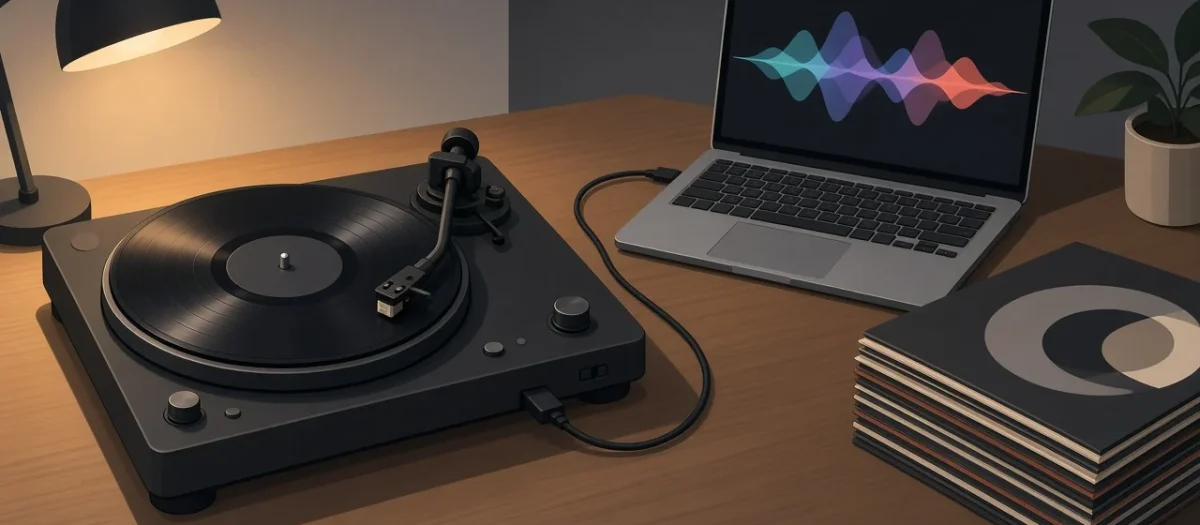
Quick answer: For most people the Audio-Technica AT-LP120XUSB is the safest USB turntable for digitising vinyl: direct drive, three speeds including 78, a removable VM95-series cartridge you can upgrade, a switchable preamp and a USB output at 16-bit, 44.1 or 48 kHz. Pick the AT-LP120XBT-USB if you also want Bluetooth. Pick the Denon DP-450USB if you want to record straight to a USB stick with no computer. If you already own a good turntable, keep it and add a USB phono interface such as the Behringer UFO202 instead.
Affiliate links: if you buy through the Amazon links on this page we may earn a small commission at no extra cost to you. Prices change, so check the current price on Amazon.
All four turntables record at CD resolution (16-bit) over USB, so on paper the digital part is much the same. The differences that matter are the cartridge, whether you can upgrade it, speed stability and whether you need a computer at all. This comparison is based on the manufacturers’ published specifications and the Audacity manual. We have not run our own measurements.
USB turntables compared
| Model | Drive and speeds | Cartridge and replacement stylus | How it records | Published wow and flutter |
|---|---|---|---|---|
| Audio-Technica AT-LP60XUSB | Belt, fully automatic; 33 and 45 | Fixed AT3600L type; ATN3600LC | USB to a computer, 16-bit, 44.1 or 48 kHz | Under 0.25% |
| Audio-Technica AT-LP120XUSB | Direct, manual; 33, 45 and 78 | Removable AT-VM95E; AT-VMN95E | USB to a computer, 16-bit, 44.1 or 48 kHz | Under 0.2% |
| Audio-Technica AT-LP120XBT-USB | Direct, manual; 33, 45 and 78 | Removable AT-VM95E; AT-VMN95E | USB to a computer, plus Bluetooth 5.0 (aptX Adaptive, aptX, SBC) | Under 0.2% |
| Denon DP-450USB | Belt, semi-automatic; 33, 45 and 78 | MM cartridge; DSN-85 | Straight to a USB stick as MP3 (192 kbps) or WAV (16-bit, 44.1 kHz) | 0.1% WRMS |
Sources: Audio-Technica product pages for the AT-LP60XUSB, AT-LP120XUSB and AT-LP120XBT-USB; Denon’s DP-450USB specifications. Wow and flutter figures are each maker’s own and may be measured differently, so treat them as a rough guide rather than a head-to-head result.
Which USB turntable should you buy?
Best all-rounder: Audio-Technica AT-LP120XUSB
The LP120XUSB is the one to start with if you want to digitise a collection properly. Audio-Technica lists a direct-drive motor, 33, 45 and 78 rpm, a switchable built-in preamp so it also works with an amp that has a phono input, and an AT-VM95E cartridge. That cartridge matters for digitising: the stylus is a snap-in part in the VM95 range, so you can fit a better VM95 stylus later without changing anything else. Audio-Technica quotes wow and flutter under 0.2% and a weight of about 8 kg, and it has adjustable tracking force and anti-skate, which the LP60XUSB does not.
- Audio-Technica AT-LP120XUSB: check current price.
If you also want Bluetooth: AT-LP120XBT-USB
Audio-Technica describes it as the same direct-drive platform with Bluetooth 5.0 added (aptX Adaptive, aptX and SBC) and pitch control of plus or minus 10%. The Bluetooth is only for listening; you still record over USB. Pay the extra only if you want to send the turntable to wireless speakers or headphones too.
- Audio-Technica AT-LP120XBT-USB: check current price.
No computer: Denon DP-450USB
The DP-450USB records to a USB stick plugged into the turntable. Denon lists MP3 at 44.1 kHz and 192 kbps, or WAV at 44.1 kHz and 16-bit, on FAT16 or FAT32 sticks; USB hubs and hard drives are not supported. It is belt-driven, plays 78s, and Denon quotes 0.1% WRMS wow and flutter and a 62 dB signal-to-noise ratio. Choose WAV, not MP3, if you want an archive copy: WAV is lossless, and you can always make MP3s from it later. The replacement stylus is Denon’s DSN-85.
- Denon DP-450USB: check current price.
Budget, simplest: AT-LP60XUSB
The LP60XUSB is fully automatic: press start and the arm does the rest, which suits anyone nervous about cueing by hand. The trade-offs are listed in Audio-Technica’s own specs: only 33 and 45 rpm, a fixed cartridge with no upgrade path beyond the ATN3600LE stylus, and a lighter 2.6 kg plinth. It is fine for getting a few albums onto your phone, less so for a large archive.
Do you need a USB turntable at all?
No. Any turntable can be digitised with a USB audio interface that has a phono input. The Behringer UFO202 is a common low-cost example: Behringer lists a built-in phono preamp with a phono/line switch and recording at 16-bit, 32, 44.1 or 48 kHz. The resolution is the same as the USB turntables above, and your existing deck’s cartridge and arm stay in use.
| Route | Best for | Watch out for |
|---|---|---|
| USB turntable | No turntable yet; want one box | Cartridge quality is fixed by the model you buy |
| Your turntable plus a USB phono interface | You already have a decent deck | Use the interface’s phono setting if the deck has no preamp, or the line setting if it does |
| Standalone USB-stick turntable (DP-450USB) | No computer, quick results | No clean-up before saving; edit afterwards |
- Behringer UFO202 USB audio interface: check current price.
Best settings for digitising vinyl
The Audacity manual’s LP digitisation workflow and its page on recording with USB turntables give a sensible starting point:
- Connect the turntable’s USB cable straight to the computer and select it as the recording device in Audacity.
- Set the project rate to 44,100 Hz to match CD, or 48,000 Hz if you work with video.
- Play the loudest track first and set the input level so peaks sit around -6 dB, with no red clipping.
- Record each side as one take, then split tracks with labels and export as 16-bit WAV (or FLAC) for the archive.
Clean the record before you record it. Clicks from dust end up in the file, and removing them later takes far longer than a clean beforehand. Our guide to restoring crackly vinyl covers the options.
What USB turntables cannot do
- They do not improve the sound. The USB output is only as good as the cartridge and the record.
- 16-bit is the ceiling on these models. That is CD quality and enough for vinyl for most people; 24-bit recording needs a separate interface.
- 78s need the right stylus. The LP120X family and the DP-450USB play 78 rpm, but 78s were cut with wider grooves, and a dedicated 78 stylus will track them better.
Related guides
- Vinyl record player setup guide for beginners
- Best affordable vintage turntables under $150
- Which replacement stylus fits your record player?
- Turntable cartridges: selection and maintenance
- How to restore crackly vinyl records at home
Sources: Audio-Technica product pages for the AT-LP60XUSB, AT-LP120XUSB and AT-LP120XBT-USB; Denon DP-450USB specifications and manual; Behringer UFO202 product information; Audacity manual: Recording with USB turntables and Sample workflow for LP digitization.
FAQ
What is the best turntable with USB for digitising vinyl?
On published specs, the Audio-Technica AT-LP120XUSB is the best all-rounder: direct drive, 33/45/78 rpm, an upgradeable VM95 cartridge and 16-bit USB output. The Denon DP-450USB suits anyone who wants to record straight to a USB stick.
Do USB turntables record in high resolution?
The models here record at 16-bit and 44.1 or 48 kHz, which is CD quality. For 24-bit recording you need a separate audio interface.
Can I digitise vinyl without a USB turntable?
Yes. Connect any turntable to a USB audio interface with a phono input, such as the Behringer UFO202, and record in Audacity.
What software do I use with a USB turntable?
Audacity is free and its manual has a page on recording with USB turntables. Record each side, split tracks, and export as WAV or FLAC.
Is MP3 or WAV better for digitising records?
WAV (or FLAC) for the archive copy, because it is lossless. Make MP3s from that copy if you need smaller files.