
Quick answer: the Jumper Pak (NUS-008) adds no memory at all. It is a small terminator that completes the Nintendo 64’s RDRAM memory bus, and the console will not boot without it. The Expansion Pak (NUS-007) replaces the Jumper Pak and adds 4 MB of RAM, doubling the N64’s memory from 4 MB to 8 MB. A handful of games require the Expansion Pak, including Donkey Kong 64 and The Legend of Zelda: Majora’s Mask, and many more use it for high-resolution modes or extra features.
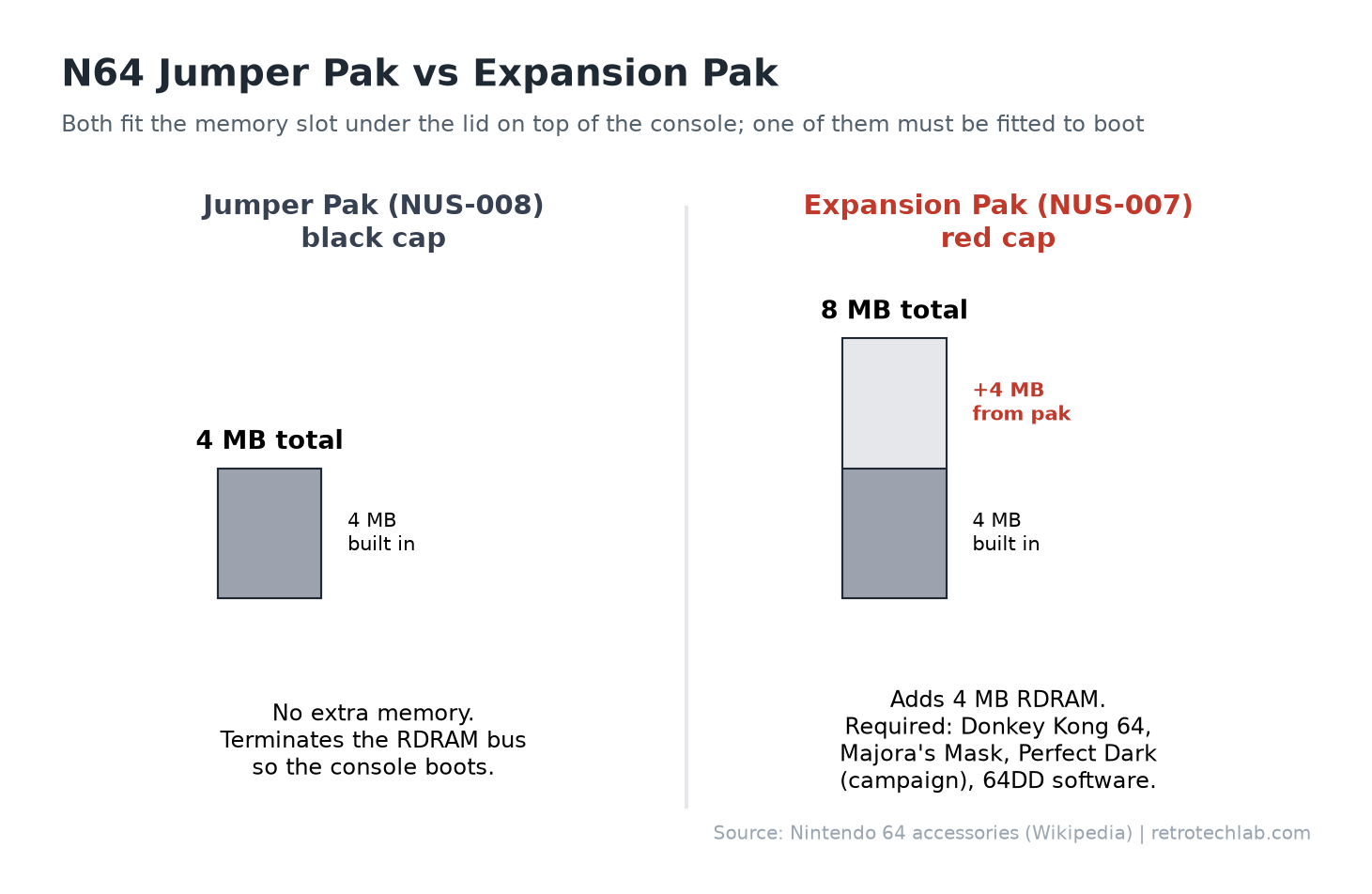
If you are buying a second-hand N64, or have just found one in the loft, this is one of the first things worth checking. Lift the flap on the top front of the console: a black cap is the standard Jumper Pak, while a red cap is the Expansion Pak.
What is the N64 Jumper Pak?
The Jumper Pak (called the Terminator Pack in Japan) is the part that came pre-installed in most Nintendo 64 consoles. It sits in the memory expansion slot under the lid on top of the console.
It does not contain any memory. The N64 uses Rambus (RDRAM) memory, and the memory bus has to be properly terminated or the signals reflect and the system becomes unstable. The Jumper Pak simply routes the signals to termination resistors so the bus works. That is all it does, but it matters: an N64 with an empty memory slot will not boot.
This is a common reason for a “dead” second-hand N64. If you bought a console that powers on but shows only a black screen, open the lid before anything else. If the slot is empty, a Jumper Pak or Expansion Pak should fix it. For other faults, see our guide to fixing common Nintendo 64 problems.
If the pak is in place and the screen is still black, work through our N64 no display fix, which covers the other common causes.
What is the N64 Expansion Pak?
The Expansion Pak adds 4 MB of RDRAM, the same type of memory the console already has, taking the total from 4 MB to 8 MB. It goes in the same slot, replacing the Jumper Pak.
It was originally designed for the Japanese 64DD disk drive add-on, but Nintendo released it separately in late 1998. It was later bundled with Donkey Kong 64, and with the Japanese versions of Majora’s Mask and Perfect Dark. Boxed Expansion Paks also included a small plastic tool (NUS-012) for pulling out the Jumper Pak.
Developers used the extra memory for higher resolutions, more detailed textures, longer draw distances, better frame rates and extra game modes.
Expansion Pak vs Jumper Pak at a glance
| Jumper Pak | Expansion Pak | |
|---|---|---|
| Model number | NUS-008 | NUS-007 |
| Memory added | None | 4 MB RDRAM |
| Total N64 RAM | 4 MB | 8 MB |
| Cap colour | Black | Red |
| Purpose | Terminates the memory bus so the console boots | Adds memory for games that need or use it |
| Needed for Donkey Kong 64 / Majora’s Mask | No (will not run) | Yes |
Games that require the Expansion Pak
These games will not run, or lock out major content, without it:
- Donkey Kong 64 requires it. This is why the game was sold with an Expansion Pak in the box.
- The Legend of Zelda: Majora’s Mask requires it. It uses the extra memory for more detailed textures, more on-screen characters and effects such as motion blur.
- Perfect Dark (outside Japan) needs it for the single-player and co-op campaigns and most multiplayer features. The box says only about 35% of the game is available without it. The Japanese version requires it outright.
- StarCraft 64 needs it for the Brood War missions and two-player split-screen.
- San Francisco Rush 2049 needs it for some tracks, cars and options.
- All 64DD software (Japan only) requires it.
Games that run better with the Expansion Pak
Many more games support the Expansion Pak optionally. Highlights include:
- Star Wars: Rogue Squadron, Battle for Naboo and Indiana Jones and the Infernal Machine add a 400×440 high-res mode. Indiana Jones also unlocks an extra level.
- Turok 2, Turok 3 and Turok: Rage Wars add high-res and high-res letterbox modes.
- Star Wars Episode I: Racer adds a high-res mode.
- Rayman 2, Resident Evil 2, Castlevania: Legacy of Darkness, Excitebike 64 and Duke Nukem: Zero Hour add higher resolution or detail options.
- Gauntlet Legends needs it for four-player games, and Hydro Thunder for three and four players.
- Pokémon Stadium 2 increases its render resolution.
- Quake II improves colour depth and frame rate.
- Tony Hawk’s Pro Skater 2 runs faster, especially in multiplayer.
Bear in mind that high-res modes on the N64 often cost frame rate, so try both settings to see which you prefer.
One known issue: Space Station Silicon Valley can crash in certain areas with the Expansion Pak installed. If you are playing it, swap the Jumper Pak back in.
Games that do not mention the Expansion Pak, such as Super Mario 64, Ocarina of Time and GoldenEye 007, look and play the same either way.
How to swap a Jumper Pak for an Expansion Pak
- Switch the N64 off. Never insert or remove a pak with the power on.
- Remove the memory expansion cover on top of the console, in front of the cartridge slot. It slides forward and lifts off.
- Pull the Jumper Pak straight up. It is a tight fit; the official ejector tool hooks under it, or grip it firmly and wiggle gently. Avoid levering against the motherboard with metal tools.
- Line up the Expansion Pak and push it straight down until it is fully seated.
- Refit the lid, put in a game and switch on.
Keep the Jumper Pak somewhere safe. You may need it if you sell the Expansion Pak or the console, or for the Space Station Silicon Valley issue.
If the console shows a black screen after swapping, switch off and reseat the pak. If it still fails, try the Jumper Pak again: if that works, the Expansion Pak may be faulty.
Is the Expansion Pak worth buying?
If you want to play Donkey Kong 64, Majora’s Mask or Perfect Dark properly, yes; it is essentially a requirement. If your library is mostly first-party games like Mario Kart 64 and GoldenEye, it will make no difference.
Original Nintendo Expansion Paks are common on the second-hand market. Third-party and reproduction versions are also sold, and quality varies, so buy from sellers with good feedback and a returns policy. Our Nintendo 64 price guide covers typical used prices, or check current Expansion Pak prices on Amazon.
As an Amazon Associate, Retro Tech Lab earns from qualifying purchases.
Getting the most from Expansion Pak games on a modern TV
High-res modes look sharpest with a clean video signal. See our guides on connecting an N64 to an HDMI TV and making N64 games look good on an HDTV. Interlaced high-res modes can look flickery or soft on some upscalers and TVs, so if a game looks worse in high-res, switching back to standard mode is a legitimate choice.
FAQ
What is the difference between the N64 Expansion Pak and Jumper Pak?
The Jumper Pak contains no memory and only terminates the RDRAM bus so the console can boot. The Expansion Pak replaces it and adds 4 MB of RAM, doubling the N64’s memory to 8 MB.
Will an N64 work without a Jumper Pak?
No. If the memory slot is empty the console will not boot and usually shows a black screen. You need either a Jumper Pak or an Expansion Pak installed.
Which N64 games require the Expansion Pak?
Donkey Kong 64 and The Legend of Zelda: Majora’s Mask require it. Perfect Dark needs it for its campaign and most multiplayer features, and StarCraft 64 needs it for Brood War. All 64DD software also requires it.
Does the Expansion Pak improve Ocarina of Time or GoldenEye?
No. Games that were not designed to use the Expansion Pak, including Ocarina of Time, GoldenEye 007 and Super Mario 64, look and play the same with or without it.
How do I tell if my N64 has an Expansion Pak?
Remove the lid on the top front of the console. A red cap means an Expansion Pak is fitted; a black cap is the standard Jumper Pak.
Can the Expansion Pak cause problems?
Rarely. Space Station Silicon Valley is known to crash in some areas with it installed, so swap the Jumper Pak back in for that game.