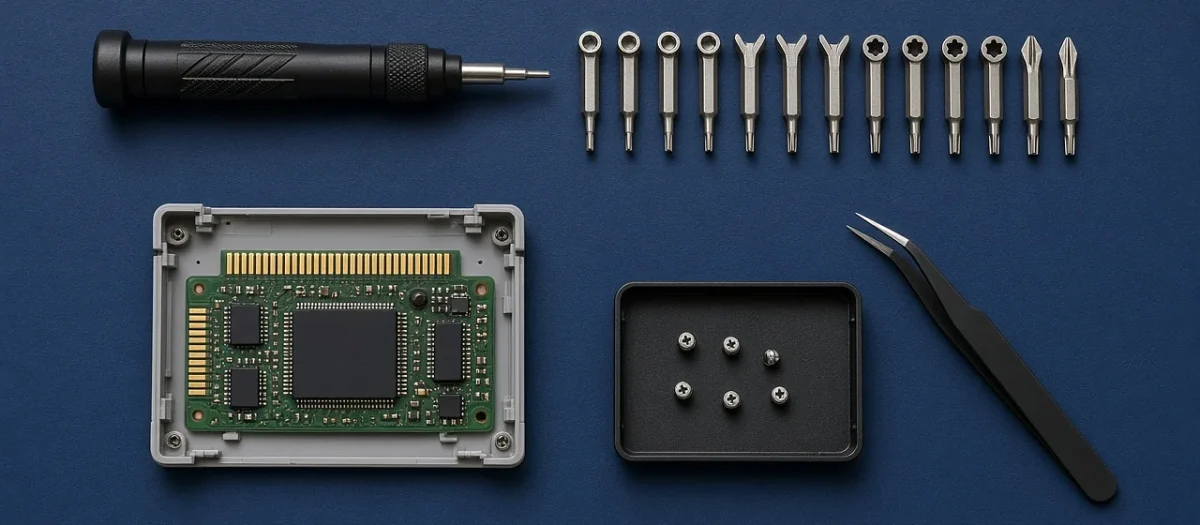
Quick answer: For most retro Nintendo and Sega gear you need just three security bits: a 3.8mm gamebit for cartridges (NES, SNES, N64, Game Boy and Game Gear), a 4.5mm gamebit for console shells (SNES, N64, GameCube) and most Mega Drive/Genesis cartridges, and a tri-wing (tri-point) set for Game Boy-family handhelds, GBA cartridges and GameCube and Wii controllers. Add a small Phillips/JIS driver and a Torx T8/T10 set and you can open almost every console from the 1980s to the Xbox 360. A cheap two-bit gamebit set plus a tri-wing set costs under $20 on Amazon. A 64-bit kit such as the iFixit Mako covers the lot.
Looking for a “RetroTech Lab screwdriver set”? We don’t make or sell one, and no RetroTech Lab-branded set exists. An older version of this page wrongly described one, so we have replaced it with the guide below: which bit opens which console, and which sets on sale today include them. We have not tested these sets ourselves; the sizes below come from Calgary Games, iFixit and other repair references, all linked at the end.
Retro console screwdriver chart: consoles
| Console | Outer case screws | Notes |
|---|---|---|
| NES (front-loader) | Phillips #2 | Ordinary screws; the 72-pin connector is inside |
| SNES / Super Famicom | 4.5mm gamebit | Phillips inside |
| Nintendo 64 | 4.5mm gamebit | iFixit’s N64 screwdriver guide confirms 4.5mm for the console |
| GameCube | 4.5mm gamebit | Controllers use tri-wing (see below) |
| Wii | Tri-wing plus Phillips | |
| Sega Master System II / Mega Drive / Genesis | Phillips #1 | No security screws on the console shell |
| Sega Saturn | JIS #1 (or a Phillips #1 used carefully) | JIS heads strip if you force a Phillips |
| Sega Dreamcast | Phillips | Some early units are reported to use security Torx; check yours first |
| PlayStation / PSone / PS2 | Phillips #1 | On the PS2, screws hide under the rubber feet and covers |
| PlayStation 3 (original “fat”) | Security Torx T8 plus Phillips | |
| Original Xbox | Torx T20 (case), T10 and T15 inside | Six case screws, some under the feet and stickers |
| Xbox 360 | Security Torx T10 and T8 | Plus plastic clips; a pry tool helps |
Cartridges
| Cartridge | Bit | Notes |
|---|---|---|
| NES | 3.8mm gamebit | Very early carts use five ordinary screws instead |
| SNES / Super Famicom | 3.8mm gamebit | |
| Nintendo 64 | 3.8mm gamebit | Plus small Phillips screws holding the board inside |
| Game Boy / Game Boy Color | 3.8mm gamebit | iFixit confirms 3.8mm for original Game Boy carts |
| Game Boy Advance | Tri-wing/tri-point Y0 | iFixit lists Y0 for GBA cartridges |
| Mega Drive / Genesis | 4.5mm gamebit (most) | |
| Game Gear | 3.8mm gamebit |
Handhelds
| Handheld | Bits needed |
|---|---|
| Game Boy (DMG) and Game Boy Color | Tri-point Y1 (iFixit); some sellers call it Y0, so get a set with both |
| Game Boy Pocket | Tri-point (a Y0/Y1 set covers it) |
| Game Boy Advance | Tri-point Y1 plus JIS #1 (or an iFixit PH1) for the battery-bay screw |
| Game Boy Advance SP | Tri-point Y0 plus JIS #00 / PH00 |
| Nintendo DS / DS Lite | Tri-wing plus Phillips #00 |
| Nintendo DSi / 3DS | Phillips #00 |
| Sega Game Gear | 4.5mm gamebit for the shell, Phillips #00 inside |
| Nintendo Switch | Tri-point Y00 plus JIS #00 |
Controllers and accessories
| Item | Bit |
|---|---|
| NES, SNES and N64 controllers | Phillips |
| GameCube controller and WaveBird | Tri-wing |
| Wii Remote | Tri-wing |
| N64 Rumble Pak | 3.8mm gamebit |
| N64 Transfer Pak | Tri-wing |
| Xbox 360 wireless controller | Security Torx T8 |
3.8mm vs 4.5mm gamebit: which do I need?
The two gamebits look identical apart from size. The 3.8mm bit is for cartridges and the 4.5mm bit is for console shells, with Mega Drive/Genesis cartridges as the main exception (most take 4.5mm). If you only own Nintendo cartridges, the 3.8mm bit is the one you’ll use most. Gamebits are almost always sold as a pair, so buy both.
Tri-wing vs tri-point: does it matter?
Shops and listings use “tri-wing” for the Y-shaped screws on Nintendo handhelds, but iFixit points out that these are technically tri-point (Y) screws; a true tri-wing has offset slots and a small triangle in the middle. For buying purposes, look for sets labelled Y00, Y0 and Y1. That covers the Switch (Y00), the GBA SP and GBA cartridges (Y0), and the original Game Boy, Color and GBA shells (Y1). Sources disagree on Y0 vs Y1 for some Game Boy shells, which is another reason to buy a set rather than one bit.
Phillips vs JIS: why your screws keep stripping
Japanese consoles (Sega Saturn, Game Boy, PlayStation internals) often use JIS screws, which look like Phillips but have a shallower, flatter cross. A Phillips driver is designed to “cam out” (ride up) under torque, which rounds off JIS heads. Use a JIS driver of the right size, or a good-fitting Phillips pushed firmly in. iFixit says its own PH000 to PH1 bits are designed to fit JIS screws without damage, but warns that other brands’ Phillips bits may not.
Which screwdriver set should I buy?
| Set | What it covers | Price on Amazon.com (27 Oct 2026) | Rating |
|---|---|---|---|
| Gamebit set (3.8mm + 4.5mm) | NES, SNES, N64, Game Boy, Game Gear and Mega Drive carts; SNES, N64 and GameCube shells | $10.99 | 4.8 (2,439 ratings) |
| 5-piece tri-wing set (Y00, Y0, Y1, Y2, Y3) | Game Boy family, GBA carts, DS, Switch, GameCube and Wii controllers | $7.69 | 4.7 (201 ratings) |
| iFixit Mako Driver Kit (64 bits) | All of the above plus Torx, security Torx, Phillips and pentalobe | $39.95 | 4.9 (21,328 ratings) |
The first two together cost under $20 and cover most Nintendo and Sega repairs. If you also work on PlayStation, Xbox or modern devices, the Mako kit includes gamebit, tri-point and Torx bits in one box, according to iFixit’s listing. Whichever you buy, match the bit to the screw exactly: a slightly small bit strips the screw head.
Affiliate disclosure: some links on this page are Amazon affiliate links. If you buy through them we may earn a small commission at no extra cost to you. Prices and ratings quoted were read on Amazon.com on 27 October 2026 and change often, so check the current price before you buy.
Repair guides that use these bits
- N64 powers on but no display (4.5mm gamebit for the shell)
- N64 loose joystick fix (Phillips)
- Game Boy no sound fix (tri-point)
- Game Boy vertical lines fix
- Game Gear recap guide (4.5mm gamebit)
- NES blinking red light fix (Phillips #2)
- SNES no sound fix (4.5mm gamebit)
- GameCube disc read error fix (4.5mm gamebit)
- Dreamcast not reading discs
- PS2 disc read error fix
- Original Xbox clock capacitor removal (Torx)
Sources: Calgary Games, Game repair tool guide (updated October 2026); iFixit, Game Boy screwdriver: tri-point or tri-wing?; iFixit, Nintendo 64 screwdriver; Console Canyon console screwdriver finder, compiled from iFixit guides; Meleta Games screwdriver notes. Sizes can vary between production runs and regions, so check one screw before you start.
FAQ
What screwdriver do I need for retro consoles?
Most Nintendo and Sega hardware needs a 3.8mm gamebit (cartridges), a 4.5mm gamebit (SNES, N64 and GameCube shells, most Mega Drive carts) and a tri-wing/tri-point set (Game Boy family, GBA carts, GameCube and Wii controllers). Add small Phillips/JIS and Torx T8/T10 bits for Sega, PlayStation and Xbox consoles.
Is there a RetroTech Lab screwdriver set?
No. RetroTech Lab does not make or sell a screwdriver set. This page explains which bits retro consoles need and which sets on sale include them.
What is the difference between a 3.8mm and 4.5mm gamebit?
Size. The 3.8mm gamebit opens most Nintendo cartridges and Game Gear carts; the 4.5mm gamebit opens SNES, N64 and GameCube consoles and most Mega Drive/Genesis cartridges.
What screwdriver opens a Game Boy?
iFixit says the original Game Boy and Game Boy Color shells need a Y1 tri-point driver, the Game Boy Advance needs Y1 plus a JIS #1, and the GBA SP needs Y0 plus a JIS/PH00. Game Boy cartridges need a 3.8mm gamebit.
What screwdriver opens an N64?
A 4.5mm gamebit opens the N64 console. N64 cartridges need a 3.8mm gamebit, and the screws inside are small Phillips.
Can I use a Phillips screwdriver on JIS screws?
Only carefully. JIS screws have a shallower cross, and a standard Phillips cams out and can strip them. Use a JIS driver, or a well-fitting Phillips bit pressed firmly into the screw.